
Overview #
Some account actions can be done directly, while others require contacting support.
At this time:
- Password changes can be done through the password reset page.
- Name and email changes must be requested through support.
- Account deletion must be requested through support.
- We do not currently provide a dedicated in-app page for updating personal details (name/email).
Change your password #
- Go to https://reviport.com/account/forgot-password/
- Enter your account email address.
- Follow the instructions sent to your email.
- Set your new password.
If you don’t receive the reset email, check your spam/junk folder before contacting support.
Change your name or email address #
Name and email changes are handled manually to protect account security.
To request a change:
- Email us from your current account email.
- Include:
- What you want to change (name and/or email)
- The new value (for email changes, include the new email address)
For security reasons, we may request identity verification before making changes.
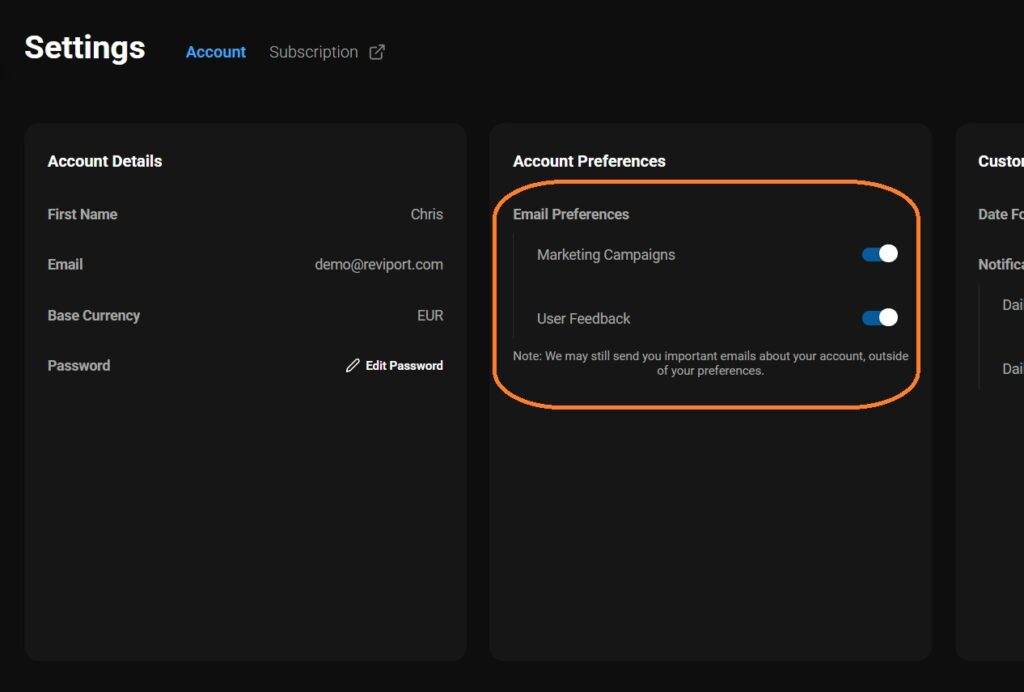
Change your email preferences #
You can change your email preferences in the web app:
- Go to Settings.
- Use the toggles to manage your preferences.
Request account deletion #
You can request permanent deletion of your account at any time.
Steps:
- Email us from your current account email.
- Include the subject line: “Account deletion request”
To protect your privacy, we may ask you to verify your identity before processing the request.
What account deletion generally includes #
When deletion is completed, Reviport generally deletes personal data it can associate with you from live systems, including:
- Your account record
- Portfolio transaction history
- Ticker customisations and preferences
- Portfolio calculation outputs and stored portfolio-related data
Important: Once deletion is completed, access to your portfolio data cannot be restored.
