
Overview #
We provide the option to track a holding manually when you can’t find its listing during ticker matching.
If a ticker can’t be matched, you can skip matching and keep the transaction history saved. Later, you can enable manual tracking so the holding remains visible in the web app even without live market data.
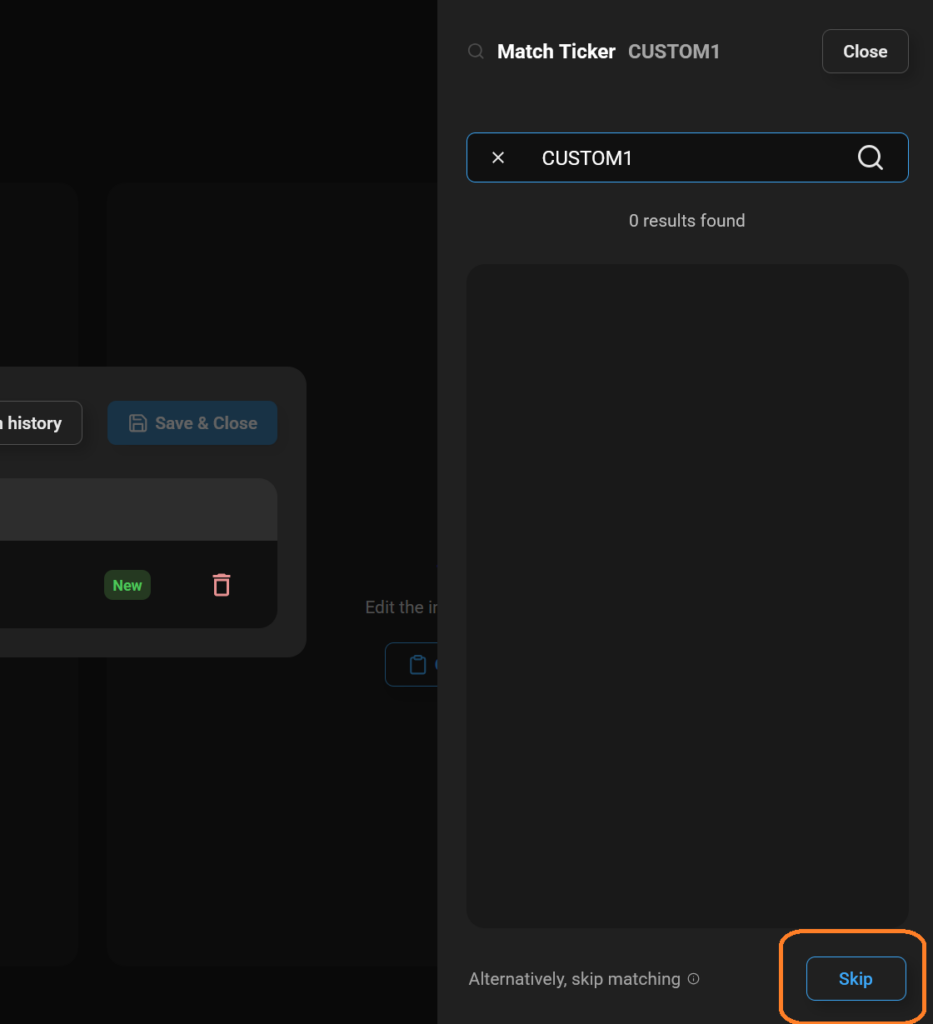
Step 1 — Skip matching during onboarding or import #
After you add new history (manual entry or CSV), the web app will prompt you to match any new tickers it finds.
If you can’t find a correct listing for a ticker, choose to skip matching.
Step 2 — Enable manual tracking #
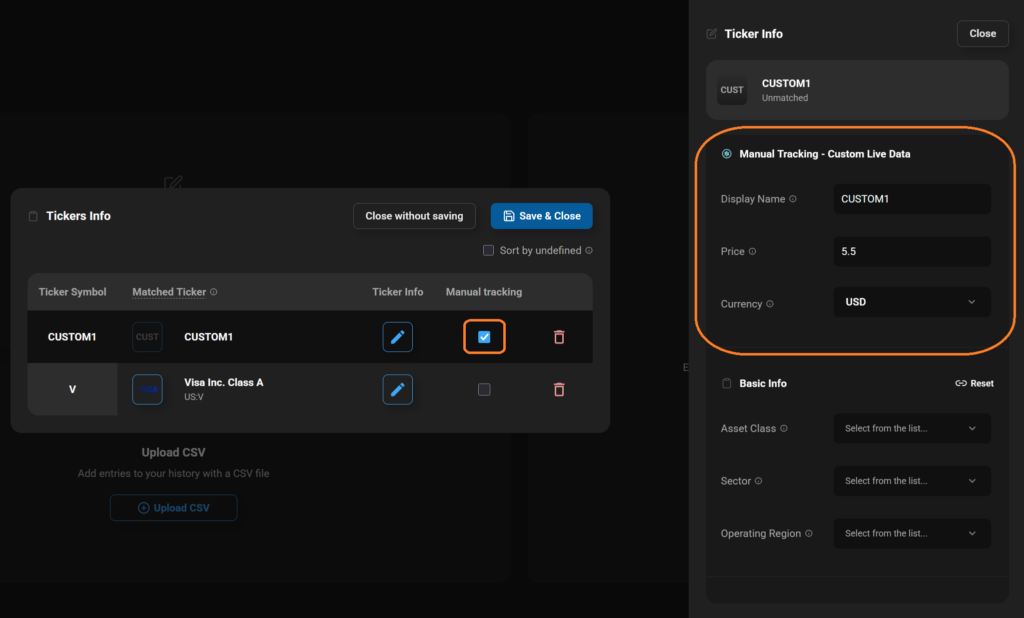
- Go to Edit Portfolio
- Open Tickers Info
- Enable Manual Tracking
- Fill in the custom fields
- Display Name: The name used for this ticker throughout the app
- Price: The current price used for all calculations
- Currency: The ticker’s currency
Important notes #
When manual tracking is enabled, we can’t fetch live or historical market data for that ticker. This means:
- Historical / past performance may be unavailable or incomplete for that holding
- You may need to update its price manually for values to reflect correctly
