
Overview #
To start using our app, you’ll complete four main steps:
- Create your account
- Choose your display settings
- Add your transaction history
- Match your tickers to live listings
Once these are complete, our app calculates your portfolio automatically using your history and live market data.
Step 1 – Create your account #
- Go to https://reviport.com/register/
- Enter your account details
- Read and agree to the Terms & Privacy Policy
- Submit
Your 7-day free trial starts automatically. No credit card required. The trial does not auto-convert into a paid plan.
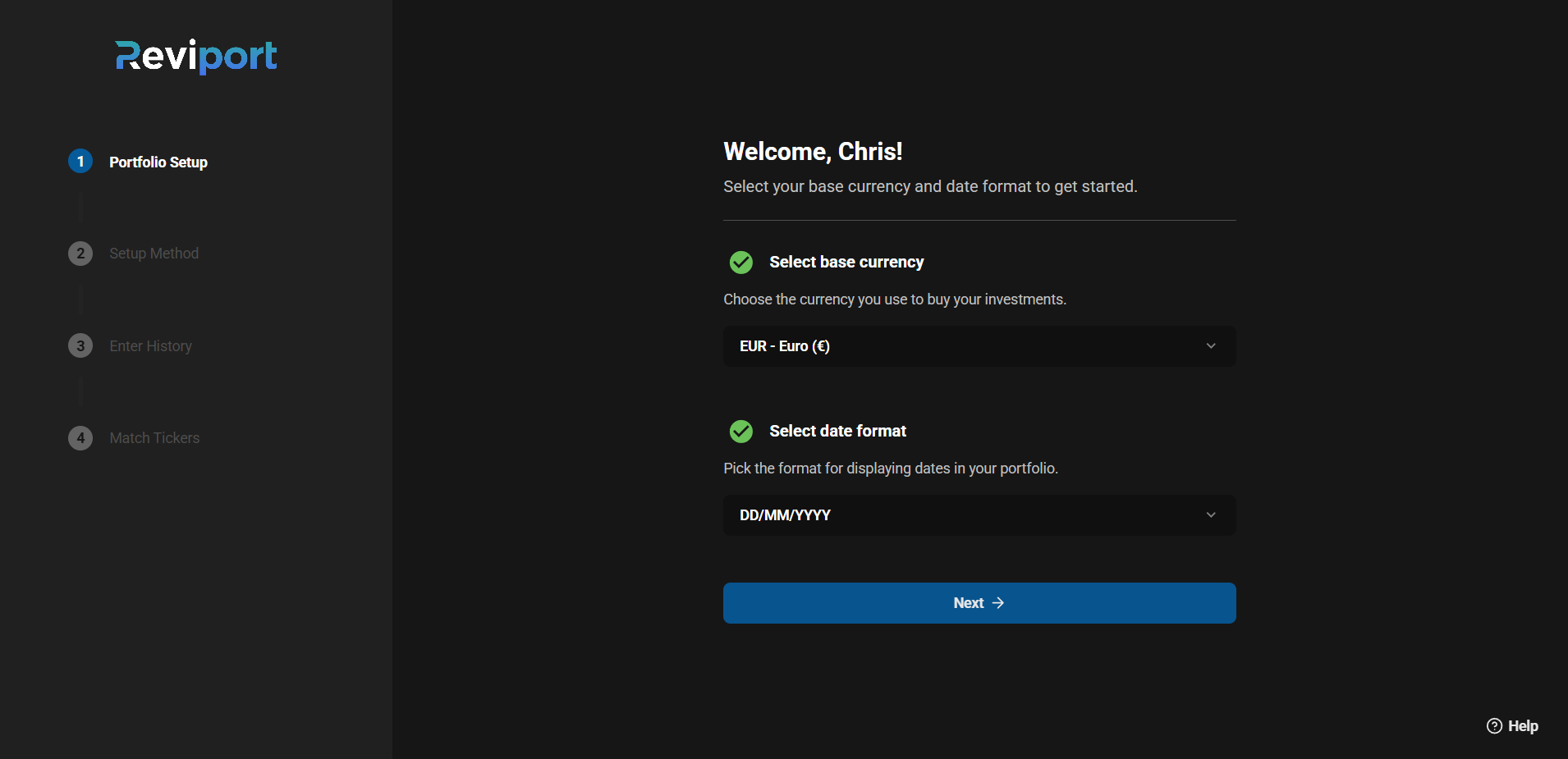
Step 2 — Choose date format and base currency #
Date format #
- dd/mm/yyyy
- mm/dd/yyyy
- yyyy/mm/dd
Base currency #
Choose your portfolio base currency (used for calculations and reporting).
Why this matters
- Date format controls how transaction dates are displayed in the web app.
- Base currency determines how portfolio totals, returns, and dividend values are calculated and shown.
Note: At the moment, the base currency cannot be changed after completing onboarding. To request for a change, email us from your current account email.
Step 3 — Add your transaction history #
You can add transactions in two ways:
- Manual entry (best for smaller portfolios or a limited number of transactions)
- CSV import (best for larger portfolios or exporting history from brokers)
Step 3a — Add your history manually #
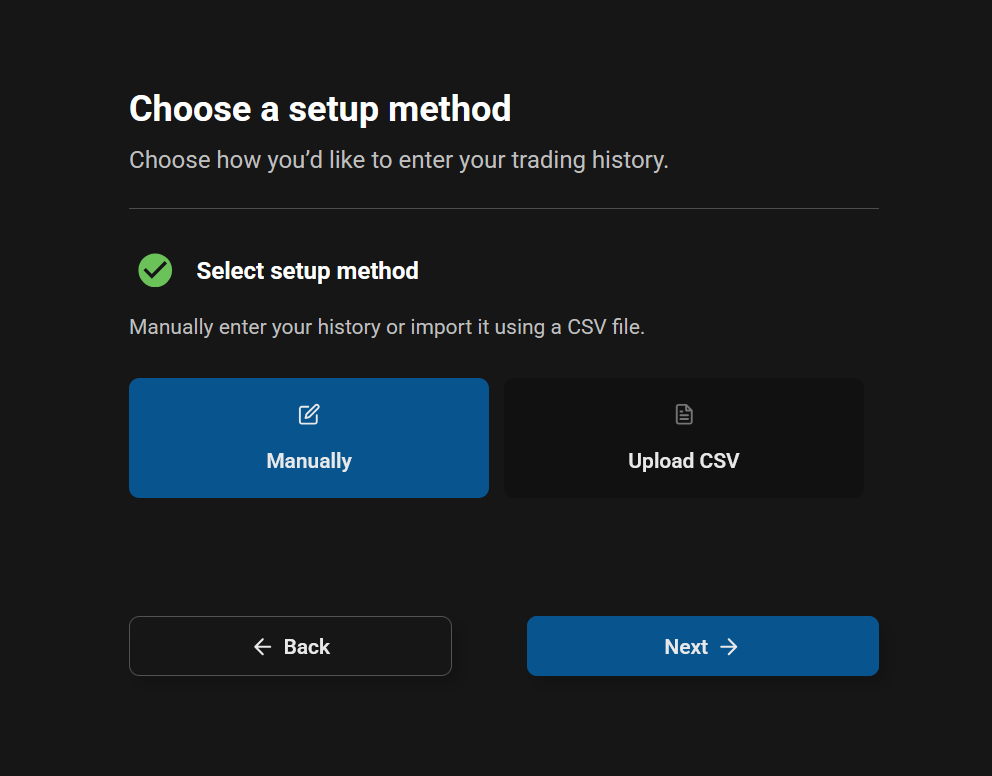
1. Select setup method #
2. Add your history #
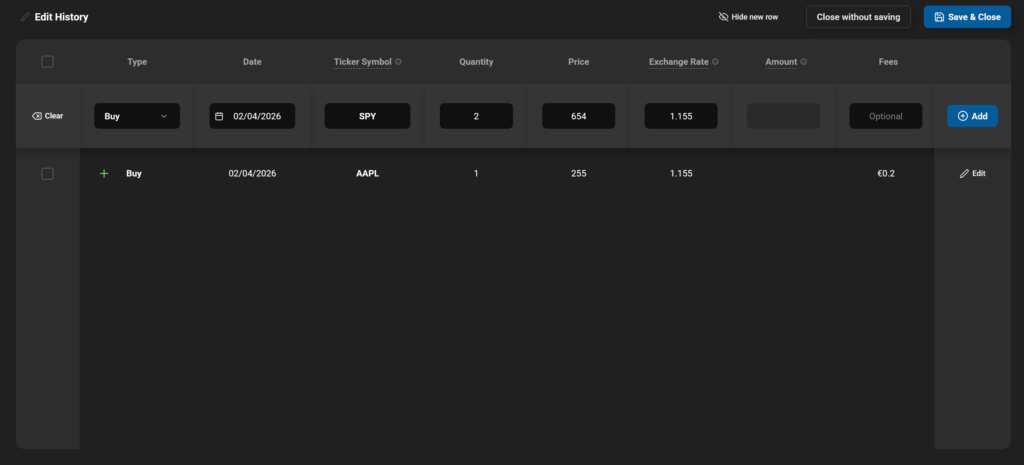
Once done, click “Save & Close” and follow the on-screen steps.
Note on required fields #
Required fields depend on the selected transaction type. Once all required fields are completed, the Add button becomes available.
Step 3b — Add your history using CSV import #
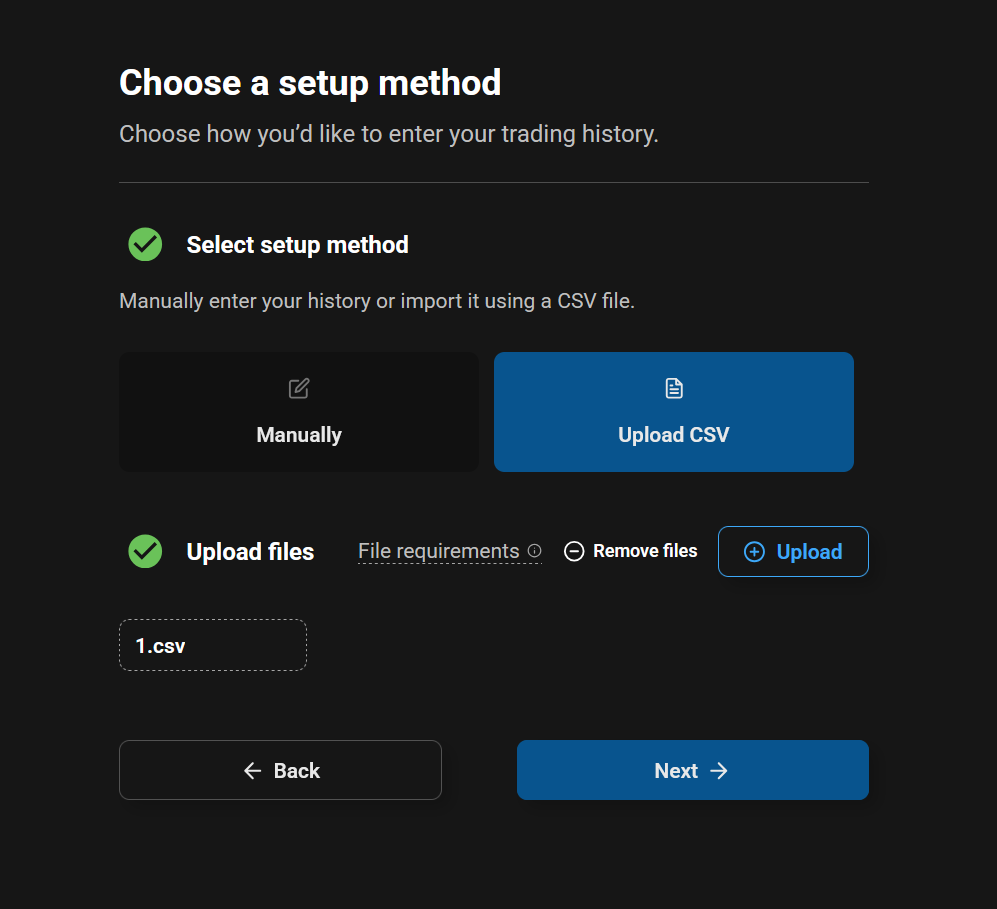
1. Select setup method and add your files #
2. Setup each file #
- Choose date format the file uses for dates
- Map columns
- Review and edit
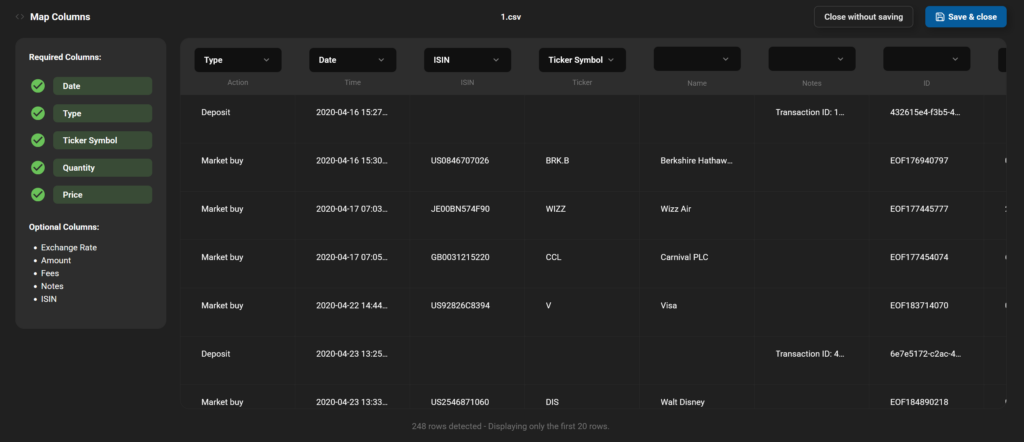
Note: You can fix errors and adjust data before saving. The original CSV file is processed in your browser. Only the confirmed rows and fields are saved.
CSV requirements #
- File type: .csv only
- Maximum file size: 0.5 MB
- Maximum files during on-boarding: 3
- Minimum columns: 5
- Maximum columns: 25
Supported transaction types #
- Buy
- Sell
- Dividend
- Deposit
- Withdrawal
- Interest
- Charge
Step 4 — Match tickers to live listings #
After adding your history, you will be directed to match each ticker to its correct live market listing.
Example:
- AAPL → AAPL.US
Note: If a ticker is not supported, you can also skip matching temporarily.
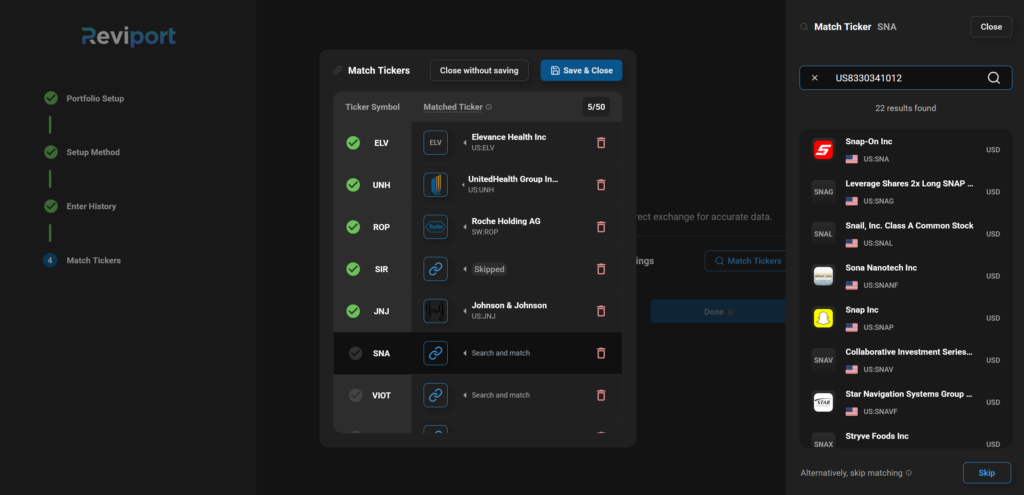
Why ticker matching matters
Matching allows the web app to:
- Fetch the correct market data for that listing
- Calculate values that depend on live data (such as value and returns) more reliably
What happens after setup? #
Once the on-boarding is complete:
- Portfolio values are calculated
- Performance metrics are generated
- Dividend projections are estimated
- Allocation and category breakdowns become available
Calculations are based on:
- Your transaction history
- Your selected base currency
- Market data from supported exchanges
Reviport is designed for long-term portfolio tracking. Market data may be delayed (including end-of-day pricing).
